

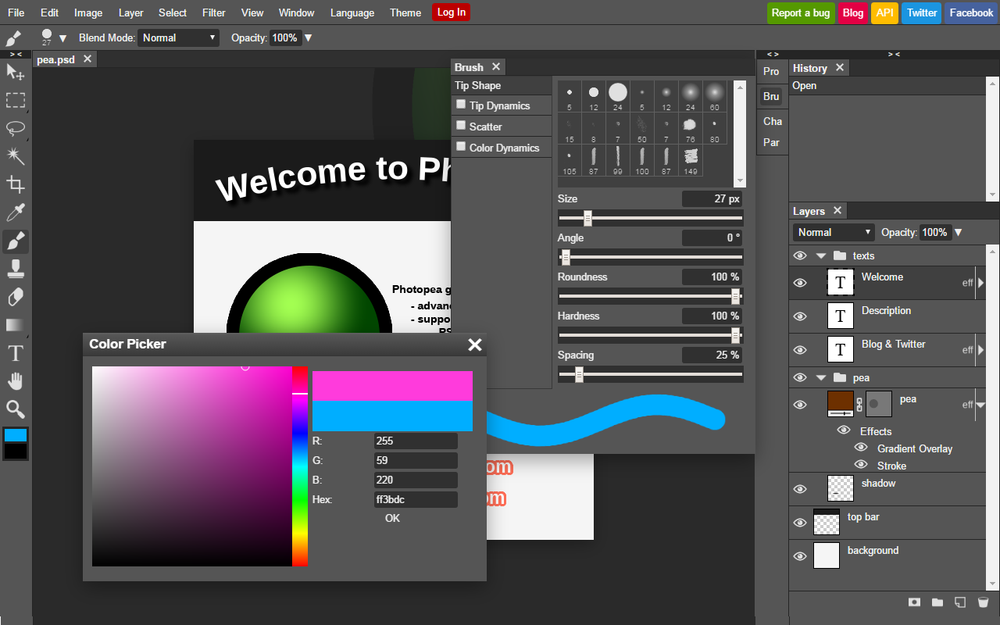
Photopea is a powerful, free online photo editor that runs directly in your browser, eliminating the need for software downloads or installations. It offers a comprehensive suite of professional-grade editing tools, making it accessible for various users from social media enthusiasts to graphic designers.
Key Features:
- Fully Local Processing: All operations run on your device, utilizing your CPU and GPU, ensuring instant file opening and data privacy as files never leave your device.
- Cost-Effective: Access all premium editing features without any cost.
- Broad Compatibility: Works on any device with a web browser, scaling performance with better hardware.
- Extensive File Support: Fully supports PSD (Photoshop Document) as its main format, and can open and edit over 40 other formats including PNG, JPG, GIF, BMP, WEBP, SVG, PDF, AI, AVIF, HEIC, TIFF, and even video formats like MP4.
- RAW Photo Editing: Provides perfect support for RAW files (DNG, CR2, CR3, NEF, ARW, etc.), allowing adjustments for Exposure, Color Balance, Contrast, Highlights, and Shadows.
- Advanced Editing Tools: Includes essential features like layers, masks, layer styles, smart objects, adjustment layers, channels, and paths. It also offers advanced adjustments and filters such as Levels, Curves, Gaussian Blur, Liquify, and Puppet Warp.
- Vector Graphics: Create and edit vector graphics directly within the editor, ideal for logos, icons, and illustrations.
- State-of-the-art AI: Features AI capabilities for tasks like one-click background removal and replacing image parts through text descriptions.
Photopea is an ideal tool for:
- Social Media Enthusiasts: Enhance photos for platforms like Instagram and Facebook.
- Students and Educators: Create visuals for presentations and assignments.
- Small Business Owners: Design promotional materials and edit product photos without expensive software.
- Graphic Designers: Produce professional-quality work with a full range of design features.


