

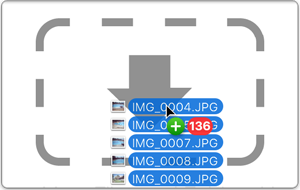
A Better Finder Rename is a powerful and comprehensive file renaming application for Mac, designed to simplify and automate complex renaming tasks. It offers an intuitive drag-and-drop interface for adding files and provides an instant preview of changes, eliminating guesswork.
Key features include:
- Comprehensive Renaming Options: Organized into 15 intuitive categories covering text, character, position, conversion, and truncation features.
- Digital Photography Support: Extracts EXIF shooting dates and times, supports all major RAW formats (JPEG, HEIC, ARW, CRW, CR2, NEF, TIFF, etc.), and accesses camera and lens metadata for tag-based renaming.
- Digital Music Renaming: Leverages ID3 metadata from MP3, AAC, FLAC, OGG, APE, and M4V files to create custom naming schemes for music collections.
- Instant Preview & Change Highlighting: Displays all changes as you type and visually marks individual changes to prevent mistakes.
- Tag-Based Renaming: Utilizes an extensive array of photo, image, music, movie, camera, lens, and location metadata to create meaningful file names.
- Multi-Step Renaming: Allows combining multiple simple actions to create complex renaming workflows.
- Filter Actions: Adds multiple file filters to action lists, enabling different types of files to be renamed differently within a single multi-step rename.
- Presets Sidebar: Saves frequently used settings and organizes them into a personal renaming library for quick access and automation.
- File Content & Meta-Data Preview Pane: Provides


