

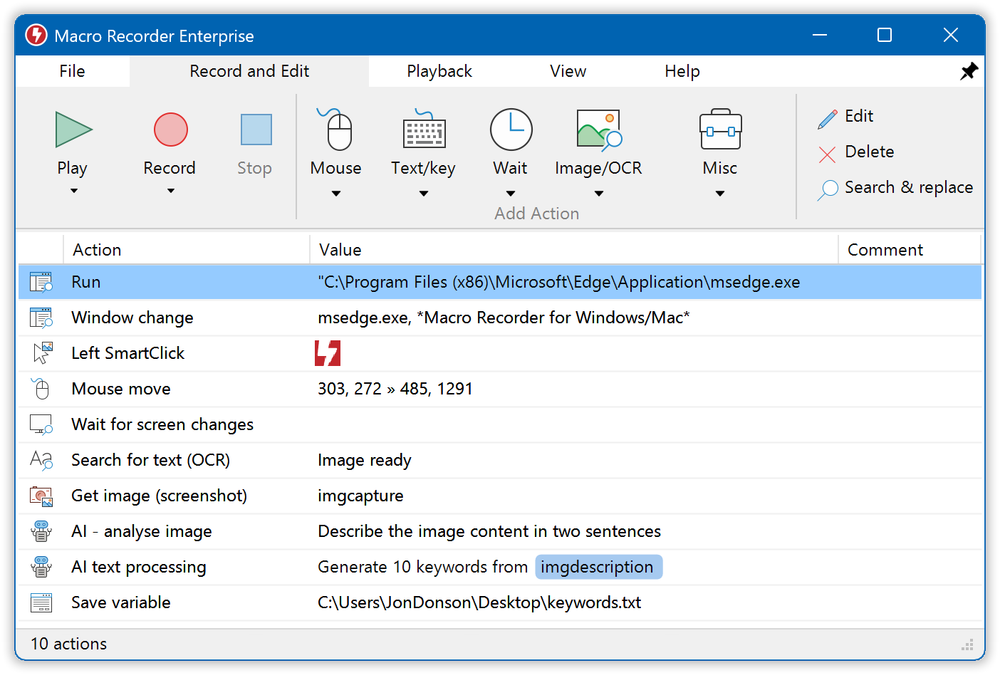
Macro Recorder is a powerful desktop automation tool for Windows and Mac that records mouse clicks, mouse movements, and keyboard input to automate repetitive tasks. It offers a no-code solution, making automation accessible to everyone without requiring programming skills.
Key Features and Use Cases:
- Record and Replay: Captures mouse events and keystrokes for infinite replay, eliminating tedious manual procedures.
- AI-Powered Automation: Integrates with OpenAI, Anthropic, and self-hosted LLMs (like DeepSeek, Llama3) to automate desktop applications with artificial intelligence.
- Smart Clicks: Utilizes visual context around click locations instead of fixed X/Y coordinates, ensuring reliable playback even if UI elements shift.
- Window Management: Tracks and restores window positions and sizes during playback for precise macro execution.
- Comprehensive Automation: Supports Desktop Automation, Screenshot Automation, On-Screen OCR (extracting text from screen), Web Scraping, Web Automation, Mouse Recording, Keyboard Recording, Automated Software Testing, and Barcode/QR Code reading.
- Built-in Macro Editor: Allows users to review, edit, and enhance recorded macros with an easy-to-use interface.
- Streamlined Playback: Consolidates mouse movements, offers optional path smoothing for cleaner screencasts, and visual overlays for easy identification of mouse events.
- Team Collaboration: Can be combined with PhraseExpress to store, organize, and share macros in a network, triggering them via hotkeys or text shortcuts.
Macro Recorder is ideal for individuals and teams looking to boost productivity by automating any repetitive task on their computer.


